

1. What Is ChatGPT Lockdown Mode Security?
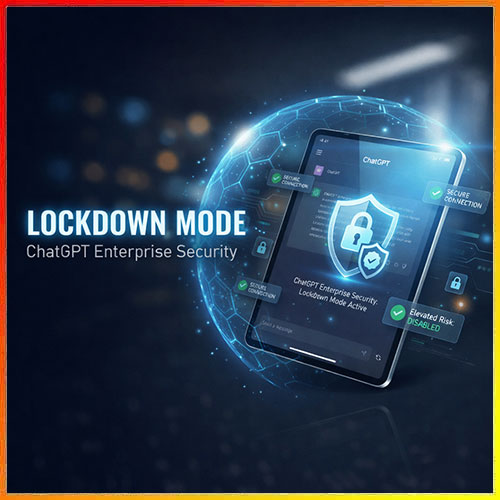
To start, ChatGPT Lockdown Mode security is a new safe mode from OpenAI for using ChatGPT with other apps and the web. Therefore, it helps people and teams who work with secret or important data stay more safe.
2. What Is a Prompt Injection Attack?
First, a prompt injection attack is when a bad user sends tricky text to make the AI break rules or share private info. Consequently, ChatGPT Lockdown Mode security cuts this risk by limiting what the AI can do with other tools.
3. Main Goal of Lockdown Mode Security
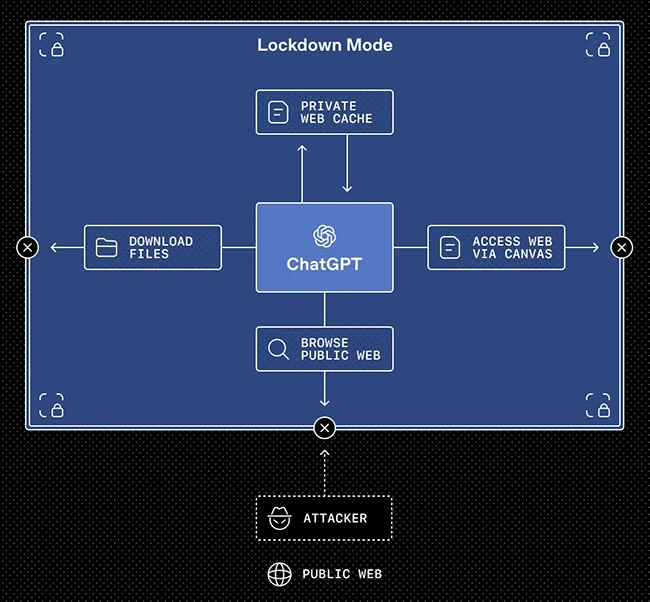
Overall, the main goal of ChatGPT Lockdown Mode security is to stop data leaks. As a result, it turns off tools and actions that an attacker could use in a harmful way.
4. Limits on Apps and Tools
In addition, with Lockdown Mode on, ChatGPT talks to outside apps and tools in a very limited way. Thus, risky actions are blocked so attackers cannot use the chat to control those tools.
5. Safer Web Use
Moreover, in Lockdown Mode, web use is more strict and safe. In this way, ChatGPT uses cached pages instead of free live web calls, so less data can leak out.
6. Controls for Admins
Similarly, admins can turn ChatGPT Lockdown Mode security on in Workspace Settings and give users a secure role. Furthermore, they can choose which apps, tools, and actions are allowed for high‑risk work.
7. Who Can Use It Now?
Currently, ChatGPT Lockdown Mode security is in ChatGPT Enterprise, ChatGPT Edu, ChatGPT for Healthcare, and ChatGPT for Teachers. Additionally, OpenAI plans to bring it to normal users later as well.
8. What Are Elevated Risk Labels?
Alongside this, OpenAI has also added Elevated Risk labels as clear warning tags in the product. Consequently, they show when a feature may bring more security risk, especially when it links to apps or the web.
9. Where Do These Labels Show?
Specifically, these labels show in ChatGPT, ChatGPT Atlas, and Codex on higher‑risk features. Likewise, each label tells what the feature does, what changes when it is on, and what risk to keep in mind.
10. Easy Example with Codex
For example, in a Codex app, if a dev turns on network access, the system can act on websites. Then, an Elevated Risk label pops up to warn that this can raise risk, so it should be used with ChatGPT Lockdown Mode security in mind.
11. Future of ChatGPT Lockdown Mode Security
Finally, OpenAI says it will keep making its safety tools stronger as new threats show up. Ultimately, when a feature becomes safer, its Elevated Risk label can be removed, so ChatGPT Lockdown Mode security keeps getting better over time.
A really good blog and me back again.