

10 Powerful Ways the Gemini App’s New 3D Models & Charts Can Transform Learning & Work
How the Gemini app just got smarter
The Gemini app has taken a big step forward by adding interactive 3D models, charts, and small simulations directly inside the chat. This means you can now ask a question and get a working visual instead of only a long text answer. Students, professionals, and casual users all benefit from seeing how ideas look and behave in real time.
What 3D models and charts actually do
3D models let you rotate, zoom, and inspect objects from every angle, while charts show trends and comparisons in a clear way. With the Gemini app, you can ask it to “show me” or “help me visualize” a concept and it will build a simple, interactive model or graph. These visuals help you understand complex topics faster than reading paragraphs alone.

Why visual learning beats plain text
Text can feel dry and hard to hold in your mind, especially for numbers, formulas, or moving systems. The Gemini app turns those ideas into shapes, lines, and animations that you can play with. This makes it easier to see connections, test your understanding, and remember what you learned later.

How the Gemini app creates simulations
The Gemini app turns your questions into small simulations that run inside the chat window. For example, you can ask how solar energy passes through a cell or how business profits change with price, and the app will draw a simple model or graph. You do not get a full software suite, but you do get a quick way to test basic ideas.
Simple steps to use 3D models
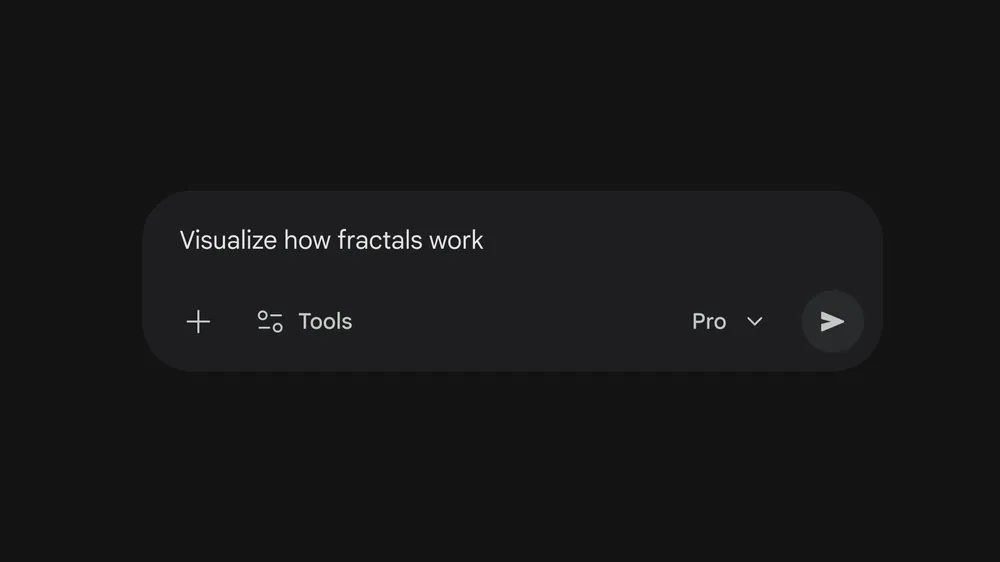
To use this feature, open the Gemini app on your phone or web browser and switch to the “Pro” model from the prompt bar if it is available. Then type a request like “Show me a 3D model of a water molecule” or “Help me visualize a line chart of sales growth.” The Gemini app will generate an interactive model or chart that you can adjust with sliders or numbers.
Who benefits the most from this feature
Students and teachers can use 3D models and charts to make lessons more visual and engaging. Engineers, analysts, and data‑driven workers can quickly sketch out how systems behave before building complex tools. Content creators and trainers can also use these visuals in videos, blogs, and slides without needing advanced design skills.
How charts improve everyday work
The Gemini app now builds simple but useful charts that you can tweak in real time. This helps you compare numbers, show trends, or explain performance to teammates in a clear way. You still need proper tools for deep analysis, but the Gemini app gives a fast and easy way to turn data into visuals during meetings and reports.
When to use 3D models instead of text
Text works fine for facts and lists, but 3D models are better for shapes, motion, and space. The Gemini app can show how a bridge holds weight, how a virus looks from different sides, or how a simple circuit sends power through wires. These visuals stay inside the chat, so you can open them again and share them with others.
Keeping your keyword natural and readable
When writing about the Gemini app, use phrases like “Gemini mobile app,” “Gemini web app,” or “Gemini in Google’s ecosystem” to support your focus keyword without over‑using it. Keep “Gemini app” in the title, first paragraph, and a couple of headings so it feels natural for readers and still strong for SEO.
How this update changes user experience
The Gemini app is now more like a visual helper than just a text‑based assistant. You can ask questions and get mini‑models and charts that show how things work instead of long answers. This saves time, reduces confusion, and makes it easier to explain complex ideas to classmates, coworkers, or clients.
How this update fits into Google’s bigger picture
This new 3D models and charts feature also shows how Google is pushing the Gemini app to become a central hub for both answers and visuals. Instead of jumping between search, images, and separate graphing tools, users can now explore questions, see data, and interact with simple models all inside the same Gemini app experience. This shift makes it easier for everyday users, students, and professionals to stay inside one interface while still getting richer, more visual explanations.