

How Genie 4 Is Changing Real-Time AI World Generation
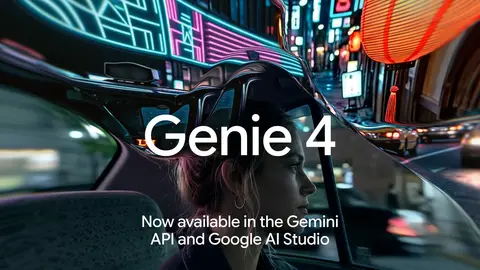
Google has made Genie 4 available to developers through the Gemini API and Google AI Studio. This update offers a new way to create interactive digital environments using text prompts, reference images, and real-time controls.
Unlike traditional AI video generation, which usually produces a fixed video, Google’s new model allows users to explore and modify generated environments while they are running. It can also produce synchronized audio, including background sounds, sound effects, and character dialogue.
Announced on November 19, 2026, this update makes the technology available through the Gemini API using the Interactions API. Developers can now experiment with interactive AI-generated environments and explore new possibilities for games, robotics, design, and other applications.
What Is Genie 4?
Genie 4 is Google’s AI world-generation model, designed to create interactive digital environments. It uses artificial intelligence to generate scenes that users can explore and change in real time.

Developers can begin with a written description, a reference image, or both. The model then creates a digital environment that responds to user actions and additional instructions.
For example, a developer could create a virtual outdoor environment and change its weather, lighting, objects, or events using text instructions.
Another important feature is its ability to maintain consistency throughout the simulation. Gemini’s reasoning capabilities help keep the environment coherent as users interact with it.
7 Powerful Features of Google’s AI World-Generation Model
This technology introduces several useful features that make interactive digital environment creation more accessible to developers.
1. Real-Time Interactive Environment Generation
One of the most interesting features is its ability to generate interactive environments.
Users are not limited to watching a completed video. They can navigate through the generated environment and interact with it using real-time keyboard controls.
This makes the technology useful for developers who want to experiment with interactive experiences rather than create traditional videos.
2. High-Quality 720p Video at 24 FPS
The model can generate continuous video at 720p resolution and up to 24 frames per second.
This allows developers to experiment with moving environments instead of relying on separate static images.
The combination of continuous video generation and interactive controls makes it possible to explore digital environments as they develop.
3. Native Audio Generation
Another major feature is synchronized audio generation.
The platform can produce different types of sounds alongside the generated environment, including:
- Ambient background sounds
- Environmental sound effects
- Character dialogue
For example, a virtual outdoor scene can include environmental sounds that match its surroundings.
This creates a more complete interactive experience because developers can experiment with both visual and audio elements together.
4. Text Prompts and Reference Images
Developers can start creating environments with a simple text prompt, a reference image, or a combination of both.
This gives users more flexibility when designing virtual environments.
A written prompt can describe the environment, while a reference image can help establish its visual appearance.
The ability to use both inputs makes Google’s AI tool useful for testing creative ideas and exploring different digital environments.
5. Real-Time Changes to Digital Environments
Users can make changes while a simulation is running.
With live text prompts and keyboard controls, developers can modify several elements, including:
- Weather conditions
- Lighting
- Objects
- Events
- Camera movement
This means users can experiment with different situations without starting the entire process again.

6. Consistent and Coherent Simulations
Keeping an AI-generated environment consistent can be challenging, especially when users continuously interact with it.
The system uses Gemini reasoning to help maintain the environment’s state and keep the simulation coherent.
This is important because changes should make sense within the existing environment rather than making the entire scene feel disconnected.
It also makes interactive simulations more useful for testing ideas and exploring different situations.
7. Support for Robotics and AI Agent Training
The technology is not limited to entertainment or creative projects.
Google also highlights its potential for robotics and AI agent training.
Developers and researchers can explore simulated environments to test ideas and study how AI systems respond to different situations.
It can also support interactive prototypes and visualizations for spatial design concepts.
These applications show how AI-generated environments could become useful tools for development and research.
Availability Through the Gemini API and Google AI Studio
Google has announced that developers can access the model through two platforms:
- Gemini API: Developers can experiment with the technology through the Interactions API.
- Google AI Studio: Users can try the interactive canvas and starter applications.
Google has also provided access to pricing information and API documentation for developers who want to explore the technology.
Every generated output includes an imperceptible SynthID watermark. This is part of Google’s approach to identifying AI-generated content.
How Could Developers Use This Technology?
Google’s latest AI model opens up several possibilities for developers and creative teams.
Game and interactive experience development: Developers can experiment with environments that respond to user actions and changing instructions.
Robotics research: Simulated environments can help researchers explore different situations and test ideas for robotics and AI agents.
Spatial design: Designers can use interactive environments to visualize concepts and explore how digital spaces might look and behave.
AI development: Developers can experiment with different scenarios and study how AI systems interact with changing environments.
These are potential applications of the technology, rather than a guarantee that it can replace existing development tools.
Final Thoughts
The arrival of Google’s Genie 4 on the Gemini API is an important development in interactive AI technology. It gives developers the opportunity to create and explore digital environments using text prompts, images, real-time controls, and synchronized audio.
Its 720p video generation, 24 FPS output, and ability to respond to live instructions make it different from conventional AI video tools.
Although developers will need to explore its capabilities and limitations for their own projects, this technology provides an interesting new way to experiment with AI-generated environments.
As Google continues developing its AI tools, interactive environment generation could become an increasingly useful part of game development, robotics research, and digital design.
Frequently Asked Questions (FAQs)
1. What is Genie 4?
It is Google’s AI world-generation model. It creates interactive digital environments that users can explore and modify in real time.
2. Is it available through the Gemini API?
Yes. Google announced its availability through the Gemini API using the Interactions API on November 19, 2026.
3. Can it generate audio?
Yes. It generates synchronized native audio, including ambient sounds, sound effects, and character dialogue.
4. What video quality does it support?
The model can generate continuous 720p video at up to 24 frames per second.
5. Can developers use images?
Yes. Developers can start with a text prompt, a reference image, or both.
6. Where can developers try it?
Developers can experiment through the Gemini API and Google AI Studio, where Google provides an interactive canvas and starter applications.
7. Does it include an AI watermark?
Yes. Google states that every generated output includes an imperceptible SynthID watermark.